AI note drafts for clinician review
Get AI-powered assistance with session notes, supervision notes, assessments and programs. Output remains a draft for a clinician to review; clinical judgment stays with the clinician.
14 days free. No credit card required.
What JasperTrack does
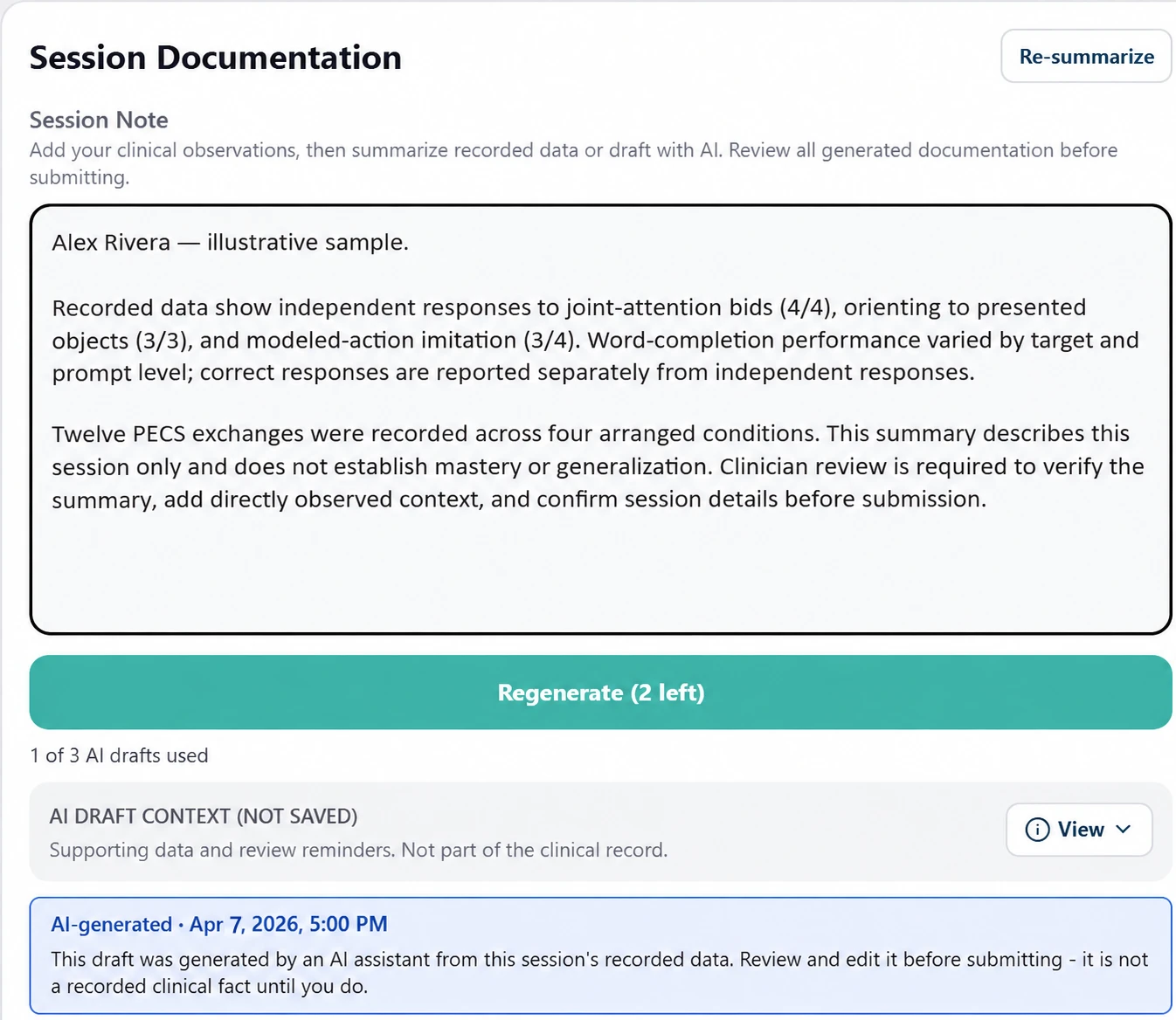
AI-powered assistance for RBT session notes
Part of ABA Data Collection.
AI-powered assistance for BCBA supervision notes
Part of ABA Supervision.
Import external program resources with AI assistance
Or build individualized programs from scratch, or start with ready-to-use templates.
Import external assessment tools with AI assistance
Or create custom assessments, or use preloaded ones.
Matching programs to needs identified in completed assessments
AI-powered assistance connects assessment results to programming needs.
How it works
A clinician works in JasperTrack as usual — a session note, a supervision note, an assessment or a program.
AI-powered assistance offers a draft or a program match in place.
The clinician reviews it and decides what goes into the record.
What it connects to
AI-powered assistance works inside ABA Data Collection and ABA Supervision, on the same records the rest of JasperTrack uses. The Trust Center's AI page explains how JasperTrack handles AI.

Ready to get started?
Start using JasperTrack to simplify your work and
better support autistic children and their families.