Supervision connected to every session
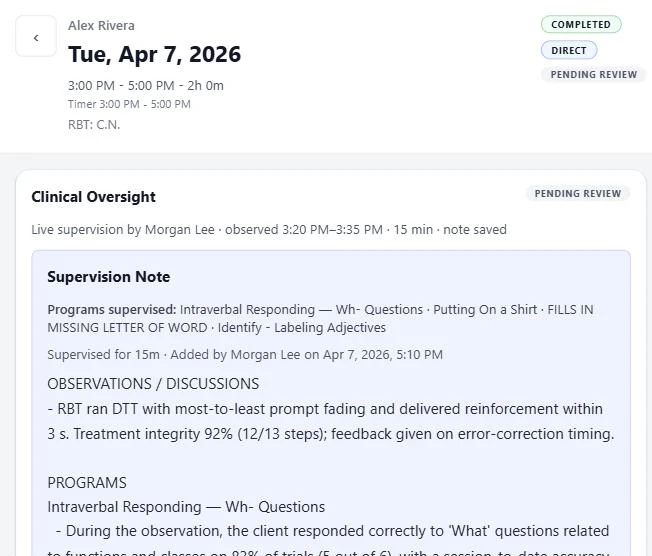
Join a session while it's happening or review it afterwards. Either way, BCBA notes and supervision time stay with the session they cover, and the RBT sees the feedback in context.
14 days free. No credit card required.
What JasperTrack does
Live session supervision
Review session data as it is recorded and add program comments during the session.
Session-linked supervision notes
Keep each supervision note with the session it reviews.
Supervision time tracked per session
JasperTrack records BCBA supervision time and notes against the ABA session reviewed. Session-linked documentation alone does not establish that a supervision requirement has been met.
Session review and sign-off
Only a BCBA writes and signs off the supervision note; team members with the required client access can read it, with a clear record of what was reviewed and when.
How it works
A BCBA joins a session live, or opens a completed one from their supervision queue.
They follow the data, comment on the programs being supervised, and log the supervision time against that specific session.
The RBT who ran the session sees the feedback directly, right beside the data it refers to.
What it connects to
Supervision notes attach to sessions captured in ABA Data Collection and surface in ABA Progress Reports for anyone reviewing that client's history.

Ready to get started?
Start using JasperTrack to simplify your work and
better support autistic children and their families.